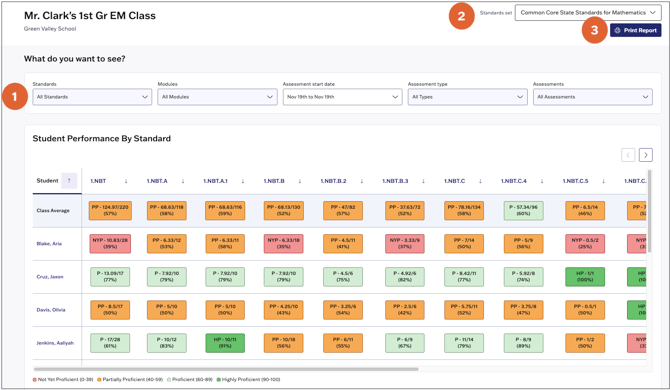
The Class Standards report shows how each student performed on all standards assessed in the class. Standards performance data is based on students' raw assessment scores.
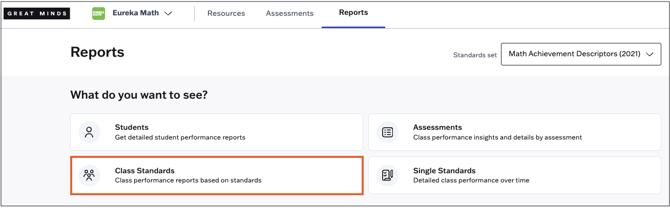
1. Select Reports from the main menu.
2. Select Class Standards from the Reports page.
3. Select a class section from the list.

4. From the Class Standards report, you can do the following:
- Filter the data shown by Standard, Module, Assessment start date, Assessment type, or by Assessment.
- Change the Standards set displayed in the report.
- Print the report using the Print Report option at the top right.