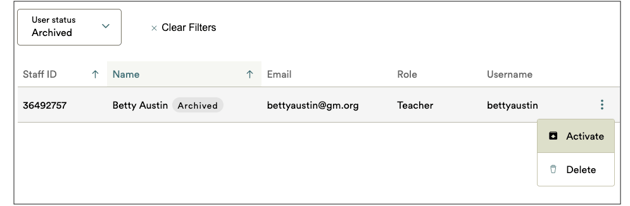
Administrators can activate previously archived teachers if they need to regain access to their classes. Once a teacher is reactivated, they will regain access to Great Minds and any classes they were previously assigned to in the current school year.
Role Required: District Administrator or School Administrator
⚠️ This feature is for Self-Serve CSV Rostering customers only.
1. Navigate to Manage in your administrator account.

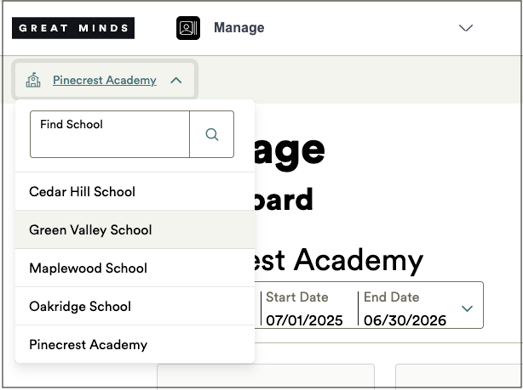
2. If your account is associated with multiple schools, select the desired school from the drop-down at the top left.
3. Select the Staff icon.
4. At the top of the Staff page, select Archived from the User Status drop-down.

5. Locate the teacher you wish to reactivate. Click their kebab icon and select Activate to reactivate the teacher's account.