
This article explains how administrators and teachers can remove co-teachers from a class.
Role Required: District Administrator or School Administrator
This feature is for Self-Serve Rostering customers only.
1. Navigate to Manage in your administrator account.

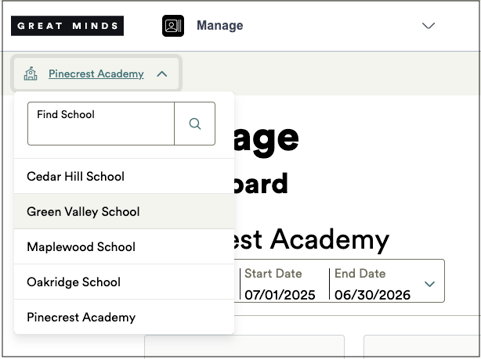
2. If you're an administrator associated with multiple schools, click the school name at the top left and select the desired school from the drop-down.
3. Select the Classes icon.
3. Locate the class you need to update and click the View button.
4. Select the Teachers tab.
5. In the Update teachers modal, de-select the co-teachers you wish to remove from the class.
6. Click the Save button to save your changes.
Co-teachers can be re-added to a class at any time. See Add Co-Teachers to Classes instructions on adding co-teachers to a class.