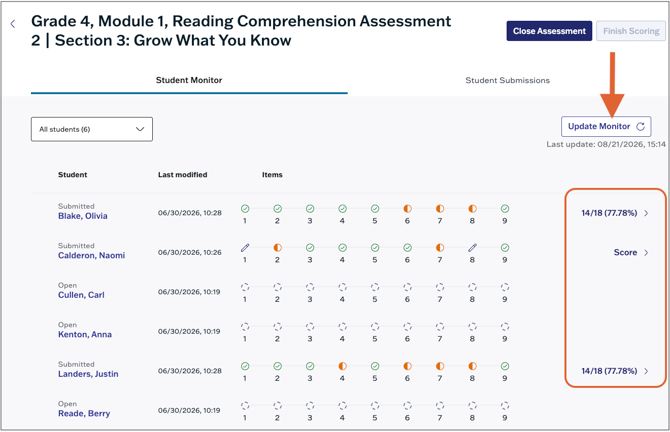
Teachers can monitor student progress on assessments from the Student Monitor.
Assessment Status
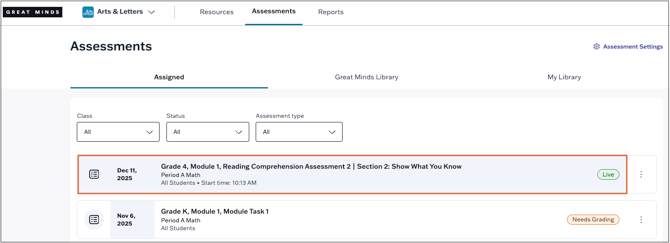
The status of an assessment is indicated by the label visible on the assessment card on the Assigned page.

- Launch indicates the assessment is not yet open and needs to be manually launched by the teacher
- Live indicates the assessment is open for student submissions.
-
Needs Grading indicates the assessment requires manual scoring.
-
Review indicates all items have been scored but scoring has not yet been finalized. In Review status, teachers can still edit item scores and/or add feedback as needed.
- Done indicates the assessment is now closed and the teacher has finalized student scores.
Monitor Student Progress
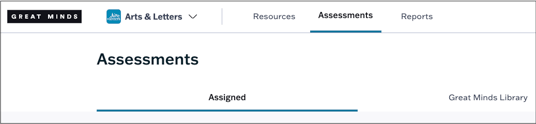
1. Navigate to Assessments using the main menu.
2. On the Assigned tab, locate the specific assessment and click the assessment card to navigate to the monitor.
3. From the Student Monitor, you can see if students have not yet started (open), started (in progress), or submitted the assessment. You can see whether a student attempted or skipped over each item.
- The symbols above each item number indicate the scoring status of the item. Teachers can also hover over an item number to view the status:
- Correct is indicated by a green check mark
- Incorrect is indicated by a red x
- Partially Correct is indicated by an orange half-filled circle
- Unscored is indicated by a pencil icon
- Unattempted is indicated by a blank circle
-
Select a student's score to view their attempt.
-
Students whose attempts still require scoring will prompt the teacher to Score the attempt.
-
Refresh the monitor manually by selecting Update Monitor at the top right.