This article outlines how to navigate and locate the curriculum materials and and resources available with the Wit & Wisdom license.
Grade Level Resources
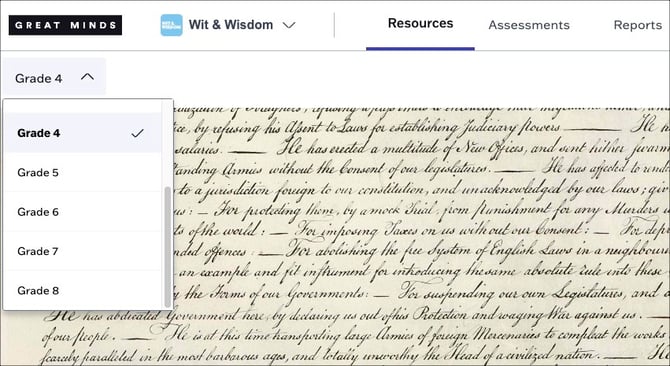
Select your grade level at the top left to access the curriculum and related resources for your grade.
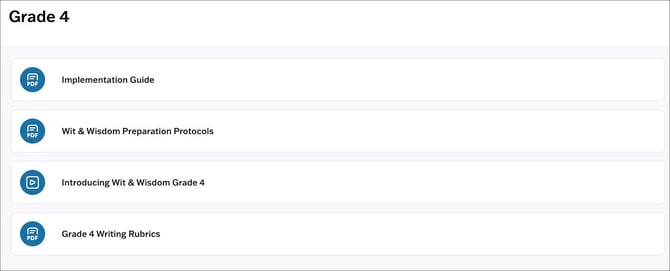
At the grade level, you can access the following resources:
- Implementation Guide
- Wit & Wisdom Preparation Protocols
- Introduction Video
- Writing Rubrics
Module Resources and Organization
Module Organization
Wit & Wisdom modules tabs are organized as follows:
- Module 0 is a 1 week module that contains resources designed to introduce students to Wit & Wisdom instructional routines.
- The Module tabs contain all materials for standard Wit & Wisdom instruction, including lesson PDFs, appendices, module resources, and multilingual learner resources.
- The Teacher Resource Pack contains additional resources for teachers and administrators to support the planning and implementation of the curriculum, as well as family engagement resources.
Customers with the InSync digital add-on have an additional InSync Resources tab which contains resources specific to distance learning broken down by module, including student videos, Learn Anywhere Plans, Projected Slides, and In Sync student handouts.

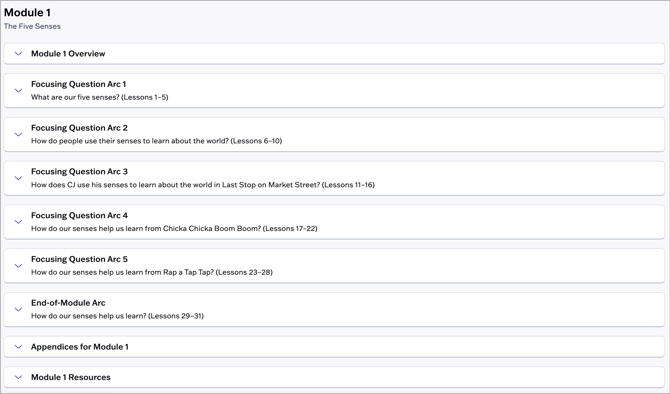
At the module level, you can access the following materials and resources:
- Module Overview
- Full Module Overview PDF
- Split PDFs for each section of the Module Overview
- Projected Slides
- Focusing Question Arcs
- Within each Arc, you can access the materials for each lesson within the selected Arc.
- Prologue lessons and student handouts (for Grades 6-8) now appear before the lesson they are designed to support.
- Appendices
- Module level resources, which may include:
- Socratic Seminar Tracker
- Rubrics
- Question Sets
- Volume of Reading Reflection Questions
- Deep Dive Scope and Sequence
- Multilingual learner resources
Lesson Resources
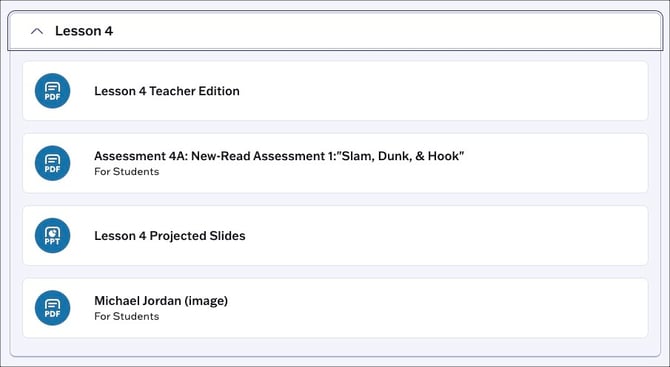
Each lesson includes the following materials:
- Teacher Edition PDF
- Projected Slides for the lesson
- Student Handouts
- Assessment (if applicable)
Teacher Resource Pack
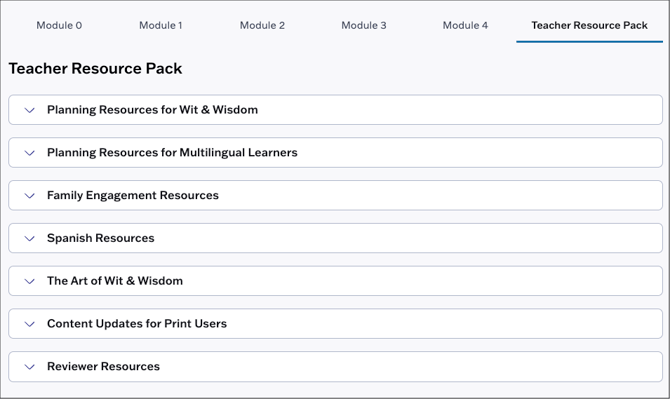
At the module level, teachers can access the Teacher Resource Pack which includes:
- Planning Resources for Wit & Wisdom
- Planning Resources for Multilingual Learners
- Family Engagement Resources
- Reviewer Resources
- Spanish Resources
- Content Updates for Print Users
- The Art of Wit & Wisdom
Assessments
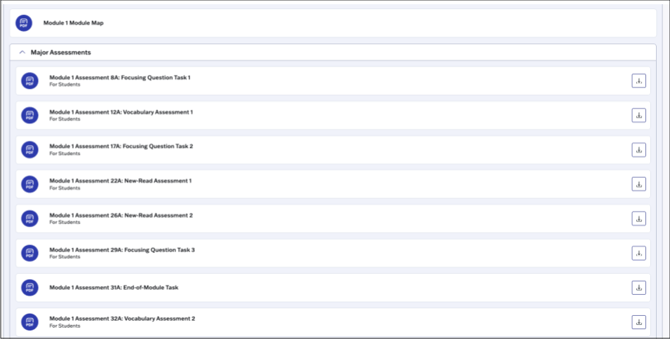
At the module level, teachers can access PDFs for all major assessments in the Major Assessments dropdown.
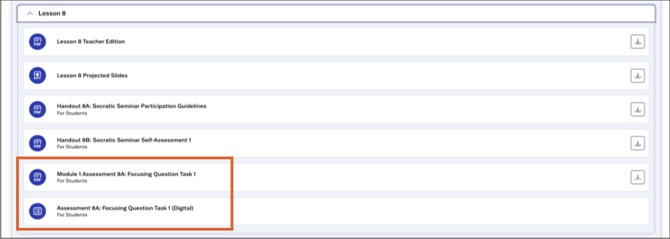
Teachers can access both PDF and Digital versions of an assessment at point of use within each lesson.
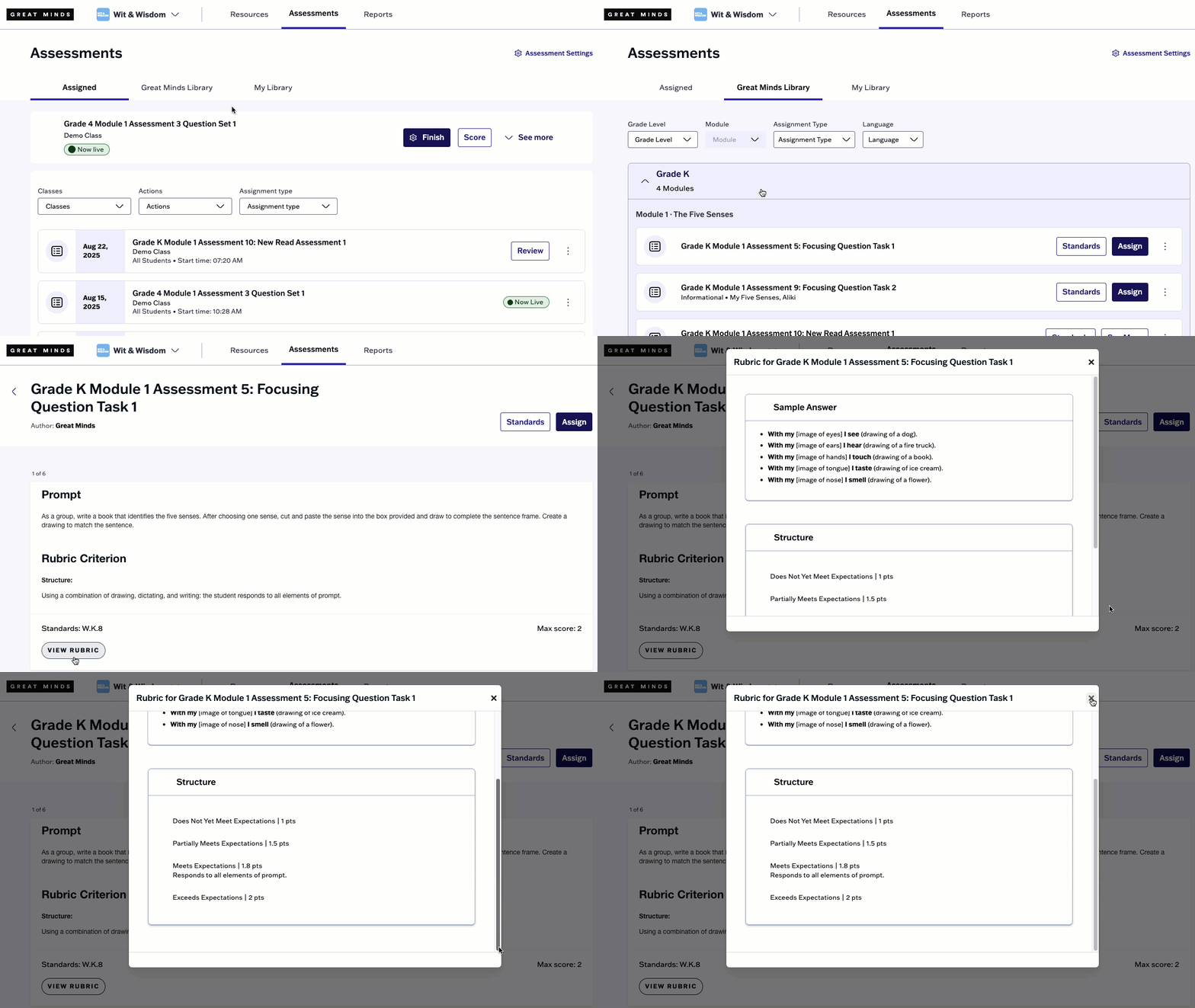
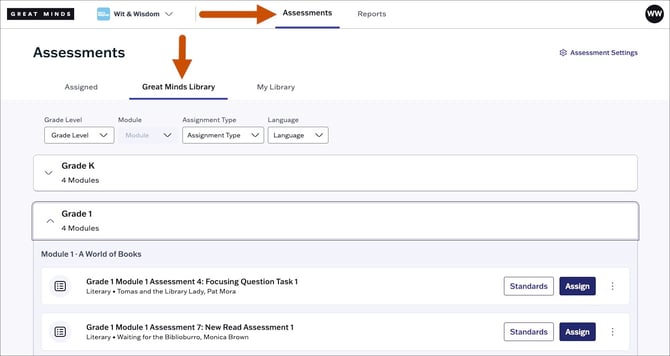
Teachers can also access assessments from the Great Minds Library in Assessments. From here, teachers can print a paper copy of the assessment or assign it digitally to their students.
End of Module Assessments and Focusing Question Tasks cannot be completed digitally. Students will complete these assessments on paper, and teachers will score them in the platform for reporting purposes only. See Score Offline Assessments for more information on this scoring flow.
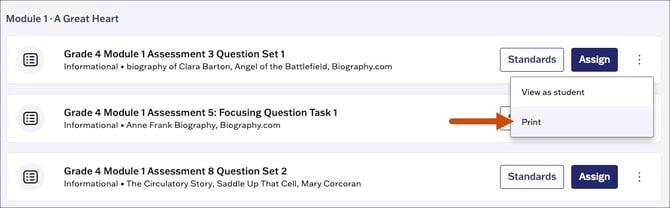
To print an assessment from the library, click the kebab icon and select Print from the drop-down menu.
Scoring Rubrics
⚠️ When scoring assessments, teachers should use the rubric criteria to evaluate Focusing Question Tasks and End-of-Module assessments. Success checklists are a student-facing resource meant to support students as they generate responses to writing prompts.
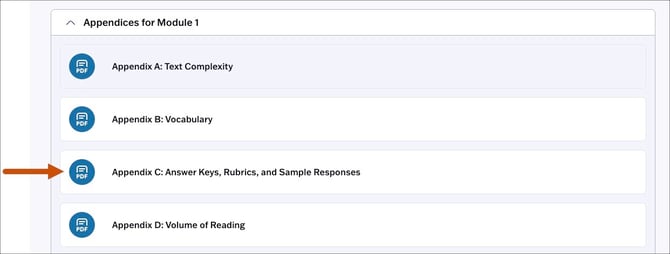
On the Resources page, scoring rubrics for assessments can be accessed from Appendix C at the module level.
To access rubrics from the Assessments page:
- Navigate to the Great Minds Library and select an assessment from the library.
- From the assessment preview, you can select View Rubric to preview the scoring rubric associated with an assessment item.