
Resources mentioned in the video:
Annotate Resources
Assessments & Reports
Self-Serve CSV Rostering
In Great Minds, administrators have access to four key areas:
Toggle Between Curricula and Roles
If your organization has purchased multiple Great Minds products, you can toggle between curricula using the drop-down menu on the top navigation bar.

If you have both an administrator and a teacher role, see Toggle Between Roles for instructions on switching between roles.
Resources
Administrators have access to curriculum materials and resources for all Great Minds products licensed to your organization.
- Select a grade level at the top left
- Navigate to a specific module or additional resources using the tabs
- Drill down into the module using the drop-down menus

You can download individual resources from the resource card or you can select a resource to preview it.

When viewing an individual resource, administrators can:
- Navigate to other resources in the section using the Next and Previous arrows.
- Download or print the resource using the buttons at the top left.
- Use the language drop-down to access the Spanish version of the resource (if available).
- PDF resources can be annotated using the in-platform annotation tools.
Assessments
Administrators have access to the Great Minds library where they can view Great Minds authored assessments. For Great Minds curricula that support assessment customization, administrators can duplicate and customize assessments, and share any custom assessments they create with teachers in their organization.
For more information on customizing and sharing assessments, see the following articles:

Reports
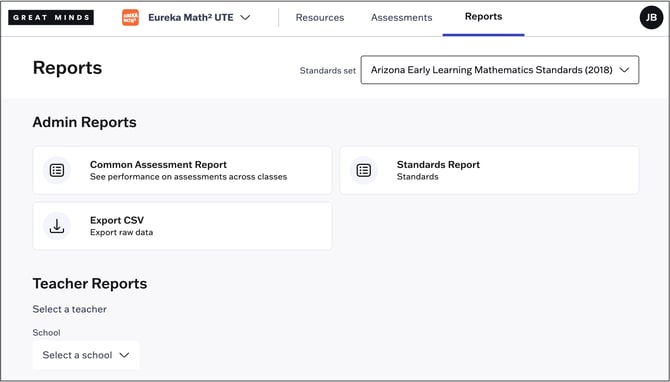
Administrators can export performance data for their organization in CSV format, and access a visual common assessment report. For more information on reports, see:
Manage
In Manage, administrators can view rostering data for their organization. Organizations who manually import and maintain their rostering data will make those updates in Manage. Access Manage using the drop-down on the top navigation bar.
